macOS · Not available to download yet
Portside
A menu bar app that shows what's listening on my Mac, which project it belongs to, and lets me shut it down.
Why I built it
Between ddev sites, Docker containers and Next.js dev servers, ports pile up. lsof tells me something is on port 3000 and hands me a process id and a cut-off command name. It doesn't tell me which project that is, how long it's been running, or whether it's open to the network.
What it does
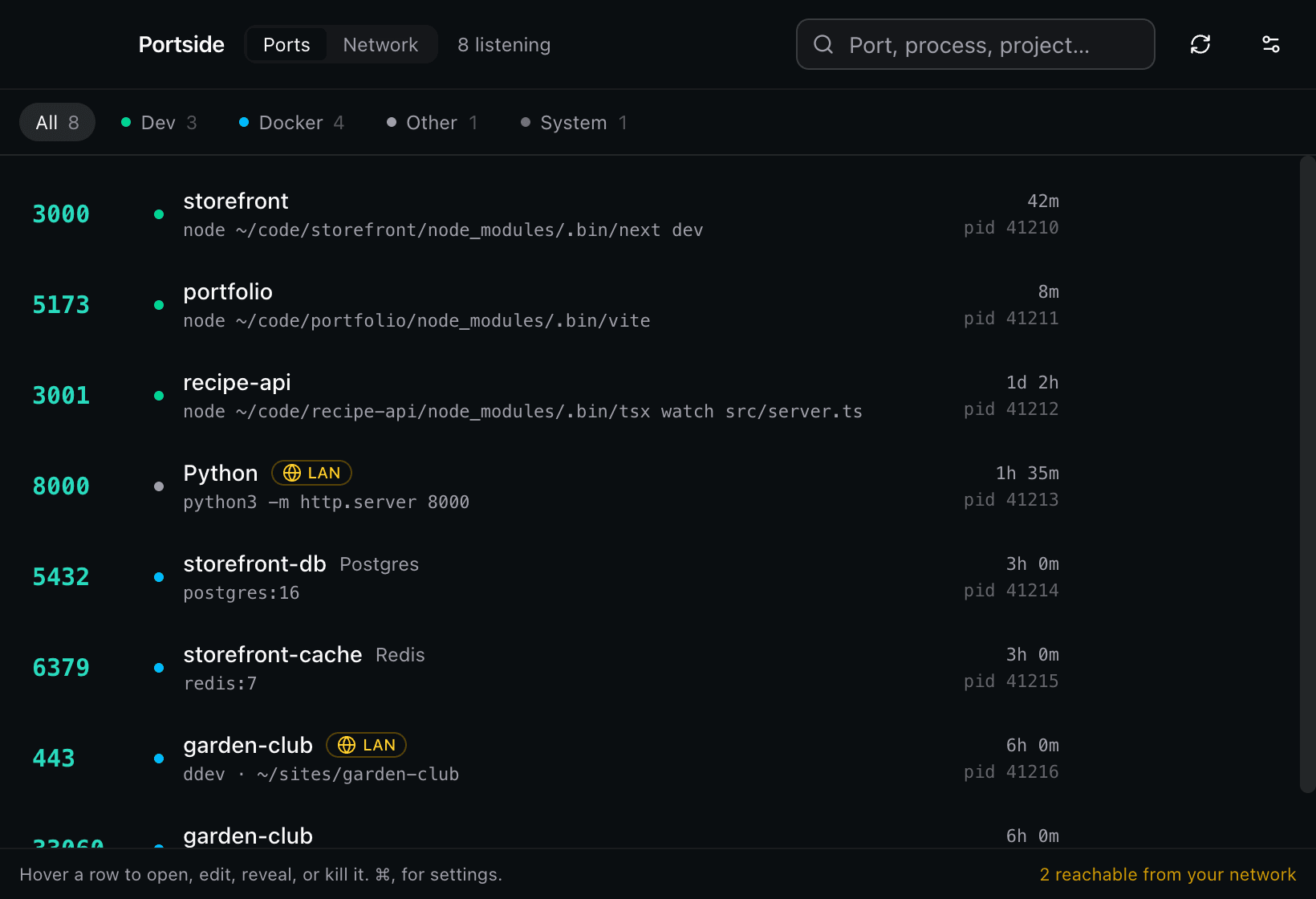
- Project names, not process ids. Node servers are named by their folder, Docker containers by container and image, and ddev ports by their ddev project. When a port is shared, Portside says so instead of guessing.
- Age at a glance. How long each server has been up, so the dev server I forgot about yesterday stands out.
- Network exposure. Anything reachable from other machines is flagged LAN.
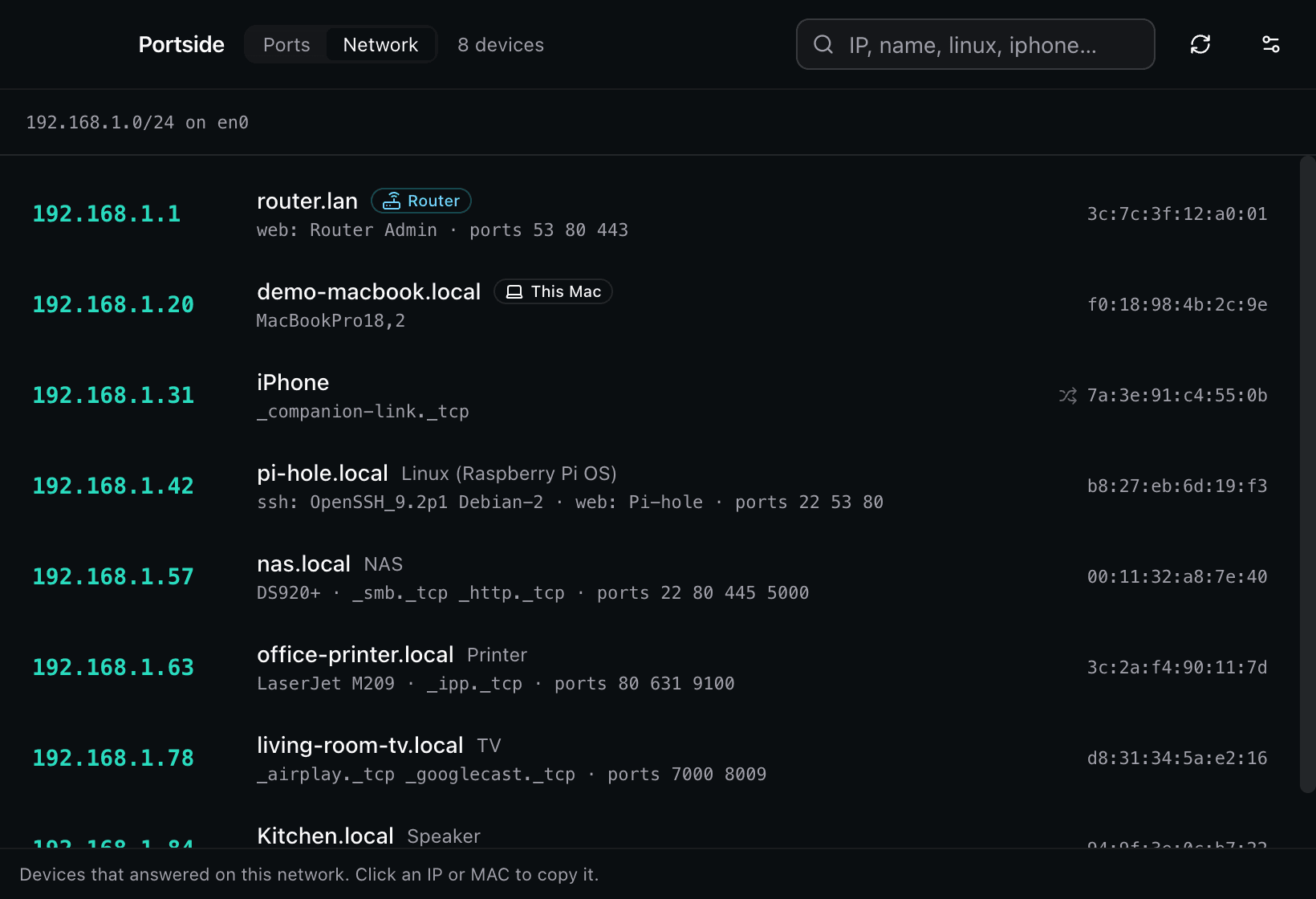
- Devices on the network. The Network view sweeps the local network and lists every device that answers, with a name and a guess at what it is.
- Shut it down. A polite stop first, then a forced one if the process holds on. It can stop a whole process tree, which dev servers usually need.
- Menu bar or Dock. Either can be turned off, but one always stays on so the app can't hide.
How it works
It's an Electron app. The scanner shells out to the same tools I'd use by hand: lsof and ps, plus docker and ddev when they're installed. It can only stop my own processes. Anything owned by the system stays off-limits.
Keep in touch
Questions or ideas? Email me. For updates on this and whatever I build next, get the newsletter.